Steps
-
1
Go to classroom.google.com and sign in with your Google account.
-
2
On the Classes page, find the class you want to leave.
-
3
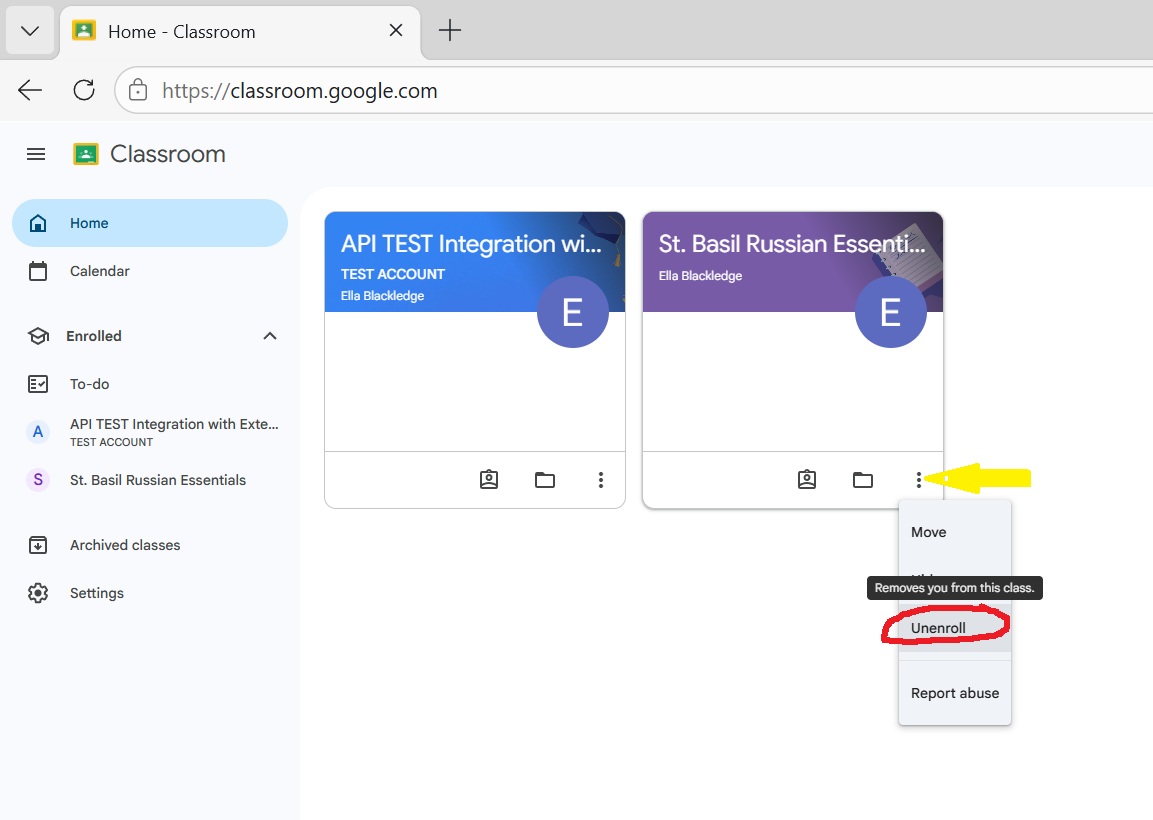
On the class card, click the three dots () in the top-right corner.
-
4
Click Unenroll.
-
5
A confirmation window will appear. Click Unenroll again.
Need it again later?
If you change your mind later, you can always sign back up by clicking this link: Join the class again